

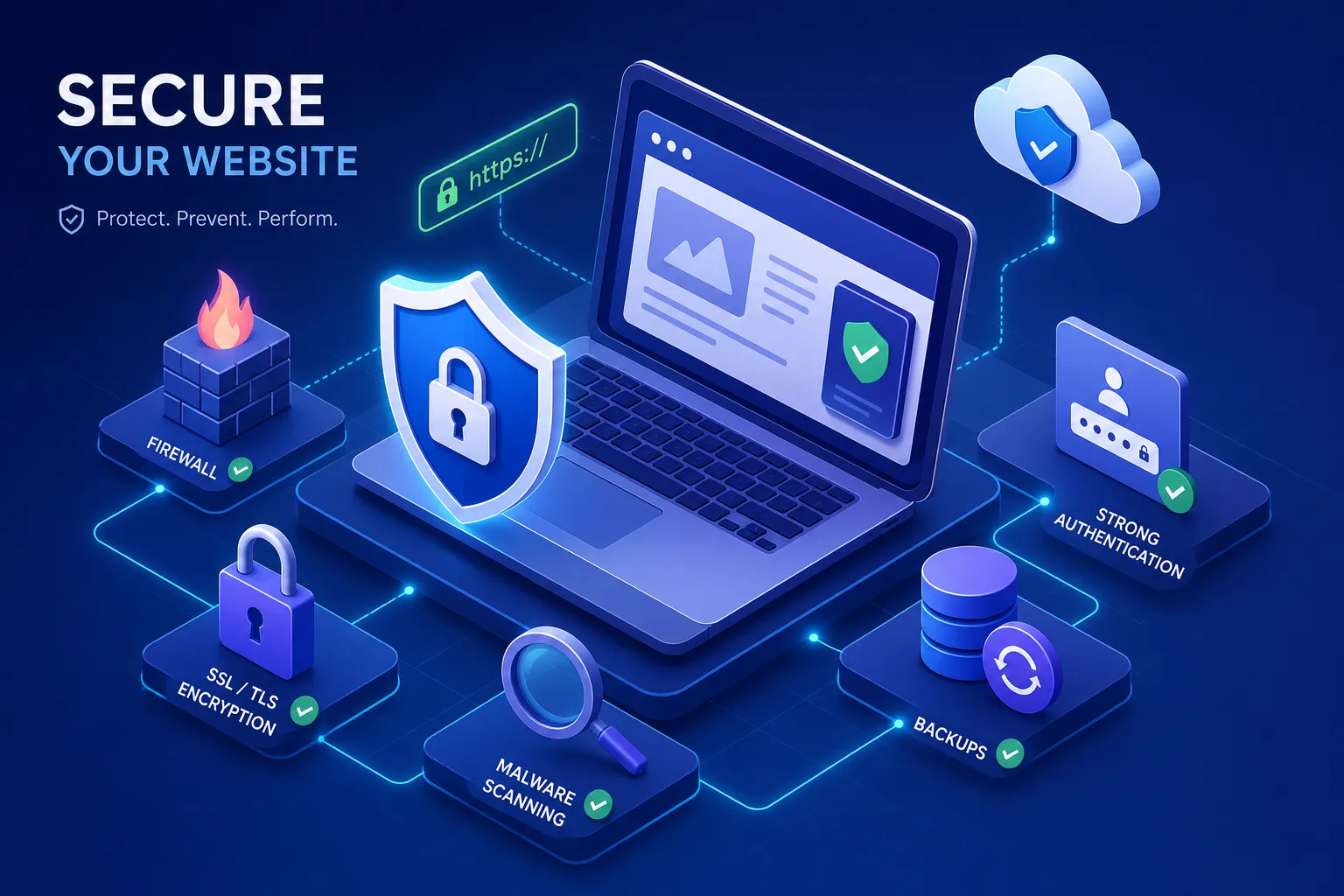

The essential website security features every business website needs are not complicated to implement, but many Ghanaian businesses are operating without them. A missed plugin update or a weak admin password can be all it takes to trigger a serious breach. The damage goes beyond temporary downtime: customer data gets compromised, Google flags your site with a red deception warning, and the reputation you have spent years building can take months or longer to recover. These are not hypothetical risks. They are the exact situations that bring clients to us after the fact, and every single one of them was preventable.
Quick Answer: The essential website security features every business website needs include SSL/TLS encryption, a Web Application Firewall (WAF), two-factor authentication (2FA), automated backups, malware monitoring, secure contact forms, and regular vulnerability scanning. Together, these controls protect your data, your customers, and your business from the most common attack vectors targeting small and medium businesses in Ghana and across West Africa.
At Stayplain Studio, we treat these controls as the foundation every website is built on, not features you ask for separately. This article walks through each one so you know exactly what should be protecting your site, why it matters, and how to verify it is actually working.
SSL/TLS and HTTPS: essential website security features every business website needs as a baseline
What SSL/TLS actually does for your website
SSL/TLS encryption protects data travelling between your visitor's browser and your web server. Without it, anything submitted through your site, including names, email addresses, phone numbers, and payment details, travels as readable plain text that any network observer can intercept. The padlock icon in the browser address bar is not a cosmetic detail: it is the visible confirmation that this encryption is active and your visitors' data is protected in transit.
In Ghana, HTTPS is directly relevant to compliance with the Data Protection Act 2012 (Act 843), which requires appropriate technical measures to protect personal data. If your site collects any information through a contact form or account registration, HTTPS is the minimum technical control the law expects. The good news: free SSL via Let's Encrypt means there is no cost justification for running an unencrypted site. Many reputable Ghanaian hosting providers, including several local hosts, bundle free SSL with every plan.
How to check if your SSL is configured properly
Having an SSL certificate installed is not the same as having it configured correctly. Common mistakes include mixed content errors, where some page elements still load over HTTP instead of HTTPS, expired certificates, and weak cipher suites that leave connections vulnerable to known exploits. You can check your SSL configuration for free using Qualys SSL Labs SSL Test. Qualys recommends targeting a grade of A or A+ as the benchmark for a well-configured site. Mixed content errors are particularly common on older WordPress sites migrated from HTTP, and they cause the browser padlock to appear broken or disappear entirely.
Why HTTPS is now an SEO factor, not just a security feature
Google confirmed HTTPS as a ranking signal several years ago, and sites running on plain HTTP consistently rank below secured competitors in search results. If you have invested in building search visibility, an unencrypted site is quietly undermining that work. SSL/TLS is one of the few controls where website security and search performance intersect directly, and fixing it costs nothing.
Expert Insight: At Stayplain Studio, we have audited dozens of Ghanaian business websites that had an SSL certificate installed but misconfigured. A padlock that appears broken in the browser is often worse than no padlock at all, because it actively signals to visitors that something is wrong. Configuration matters as much as installation.
Web Application Firewall and DDoS protection: your site's filter layer
WAF vs DDoS protection: what is the difference
A Web Application Firewall sits in front of your website and inspects incoming requests. It blocks malicious traffic at the application layer, including SQL injection attempts, cross-site scripting (XSS), and credential stuffing bots that cycle through leaked password databases. DDoS protection operates differently: it absorbs or deflects floods of traffic designed to overwhelm your server and take your site offline entirely. Both threats are real, and you need both controls because a WAF will not stop a volumetric traffic flood, and DDoS mitigation will not inspect and block a crafted SQL injection request.
Cloudflare: a practical entry point for Ghanaian businesses
Cloudflare's free plan is a practical starting point for businesses operating in Ghana. It provides basic DDoS mitigation and limited edge filtering, and works with any hosting provider by pointing your domain's nameservers to Cloudflare. The setup is straightforward: connect your domain, enable the proxy, and Cloudflare sits as a filter layer between the public internet and your web server. It is worth noting that the free plan's WAF capabilities are limited compared with paid tiers, you get basic protection, but the managed rule sets and dedicated bot protection that close the more sophisticated gaps are reserved for paid plans. For e-commerce sites, financial platforms, or any site processing sensitive customer data, a paid plan is worth evaluating. The free tier is a solid baseline to start from; upgrading addresses the gaps that more determined attackers will eventually probe.
What a WAF blocks in practice
Real attack types that a properly configured WAF filters include automated credential stuffing bots, contact form spam floods, and SQL injection probes targeting your database through unsecured input fields. At Stayplain Studio, we have seen the consequences firsthand when these controls are absent. Clients have arrived with active spam redirect infections that were silently rerouting their visitors to malicious sites. A WAF, combined with proper file hardening and malware removal, is a core part of the remediation process in those cases. The infections were preventable. The cleanup is never cheap.
Two-factor authentication: an essential security feature for every business website
Why a strong password alone is no longer sufficient
Credential stuffing is one of the most documented attack methods targeting small business websites globally, and West Africa is not exempt. Attackers purchase lists of leaked username and password combinations from previous data breaches and run automated tools that test those credentials against every login page they can find. A strong, unique password reduces the risk but does not eliminate it if that password appears in a leaked database from an unrelated service you use.
OWASP lists multi-factor authentication as one of the top access controls for any internet-facing application. The logic is straightforward: even if an attacker has your correct password, a second factor they do not control stops the account takeover immediately. One compromised admin account hands an attacker full control of your website, including the ability to install malware, exfiltrate customer data, and lock you out of your own site.
Which 2FA methods work best for business site admins
Authenticator apps such as Google Authenticator or Authy are the most reliable option for website admins. They generate time-based one-time codes that expire every 30 seconds and work without mobile data. SMS 2FA is better than nothing, but it is weaker: SIM-swapping attacks and SMS interception are documented methods that undermine SMS-based codes. For WordPress sites, plugins like WP 2FA and Wordfence Login Security enforce 2FA at the application level. Critically, 2FA must apply to every account with editor or admin access, not just the site owner. One compromised editor account is sufficient for a full site takeover.
Extending 2FA beyond the website login
Your WordPress admin panel is one attack surface. Your cPanel or hosting account, your domain registrar, and the email account linked to your website are equally critical. An attacker who resets your hosting password through your email account has bypassed your WordPress 2FA entirely. All of these accounts need the same level of protection. Every Stayplain Studio client handoff includes 2FA setup guidance across all critical accounts as a standard part of the onboarding process, not an optional extra.
Automated backups and a tested recovery plan
What a proper website backup covers
A real backup covers two components: your database, which holds your content, settings, user accounts, and customer data, and your files, which include your themes, plugins, and uploaded media. Many business owners assume their hosting provider's snapshot feature is equivalent to a proper backup. It is not. Hosting snapshots are stored on the same infrastructure and are not always accessible after a catastrophic failure, a billing suspension, or a host-level compromise. Off-site storage is non-negotiable. Your backup needs to live somewhere separate from your hosting account. UpdraftPlus and BackupBuddy are the two most widely used WordPress backup solutions with reliable off-site storage integrations to Google Drive or Dropbox.
How often should you back up a business website
Daily automated backups are the baseline for any site that collects contact form submissions, processes orders, or publishes content regularly. Weekly backups are acceptable only for static sites with no user data and infrequent updates. For e-commerce sites or sites handling bookings or appointments, consider backing up every six to twelve hours. The 3-2-1 principle applies: three copies of your data, on two different storage types, with one copy stored off-site. For a typical small business WordPress site, that means one copy on the server, one in cloud storage, and one downloaded locally on a schedule.
The recovery test that most businesses skip
A backup you have never tested is not a backup: it is a false sense of security. The purpose of a backup is restoration, not archiving, and the only way to know your backup is usable is to restore it to a staging environment and verify the site comes back correctly. Backup creation and a verified restore test are part of every Stayplain Studio website launch checklist before any site goes live with us.
Malware monitoring, vulnerability scanning, and security audits
What malware monitoring actually detects
Malware monitoring tools watch for file changes that indicate an active infection: injected code in theme files, new files in unexpected directories, backdoors installed by attackers, and your domain's status on Google Safe Browsing and other blacklists. When Google flags your site as deceptive or dangerous, visitors see a full-page red warning screen before they can access your content. The traffic drop is immediate. For small businesses where the website is a primary customer contact point, this is effectively a forced closure until the issue is resolved.
Recommended tools include Wordfence for WordPress, which combines a firewall with file integrity monitoring, and Sucuri SiteCheck, a free browser-based scanner that works across different CMS platforms. Both give you baseline visibility into what is happening on your site without requiring advanced technical knowledge.
Vulnerability scanning: finding weaknesses before attackers do
Automated vulnerability scanners check your CMS version, plugin versions, theme versions, and server configuration against known CVEs (Common Vulnerabilities and Exposures). For WordPress sites, Patchstack and WPScan are two reliable tools. Both flag outdated components and disclosed vulnerabilities before attackers can exploit them. Schedule scans monthly at minimum and run an additional scan after every major plugin or theme update. The majority of WordPress infections begin with a known, unpatched vulnerability in an outdated or abandoned plugin.
Real results: Stayplain Studio's malware removal work
This is not theoretical. We have scanned, cleaned, and re-secured sites for several clients, including SHEEPLBG, Debcee J Foundation, Ayopify, and Chloe International, resolving malware infections and restoring broken Google indexing. For Ayopify and SHEEPLBG specifically, our team diagnosed and resolved active Google Deception warnings and spam redirect infections that were sending visitors to malicious destinations without the site owners' knowledge. Documented outcomes for these engagements are available in our case studies. If your site has an active infection or is showing security warnings, our WordPress malware removal service is the fastest path to a clean, verified site.
Secure contact forms, input validation, and spam protection
Why your contact form is an attack vector
An unprotected contact form accepts any input from anyone on the internet, including bots probing for SQL injection vulnerabilities, scripts attempting code injection, and automated tools sending thousands of spam messages through your domain. A contact form with no rate limiting or spam protection can damage your domain's email sending reputation and flood your inbox while legitimate customer enquiries get buried or lost entirely. Forms are often the most overlooked entry point on a business website.
What makes a contact form genuinely secure
Secure forms implement several controls together. CSRF (Cross-Site Request Forgery) protection uses server-side tokens to verify that each submission originates from a legitimate browser session. Input sanitisation and server-side validation ensure that submitted data is cleaned and checked before it interacts with your database. Honeypot fields are invisible inputs that no human would fill in but bots consistently do, providing an instant, frictionless spam filter that does not add friction for legitimate users. These controls are not premium features: they are baseline requirements for any form that collects customer information.
CAPTCHA, reCAPTCHA, and when each is appropriate
Google reCAPTCHA v3 is the most widely deployed option and works invisibly in the background, assigning each submission a risk score based on behavioural signals. hCaptcha is a privacy-friendly alternative that does not rely on Google's data infrastructure. For high-volume sites, CAPTCHA should be combined with rate limiting, which blocks IP addresses that submit too many requests within a short time window, and IP-level blocking for known spam sources. Stayplain Studio installs WPForms or Gravity Forms with these controls preconfigured on every client site; secure form configuration is built into our standard delivery, not added on request.
Expert Insight: One of the most common security oversights we see on Ghanaian business websites is a well-designed, professional-looking contact form with zero backend validation. The form looks trustworthy to visitors, but it is completely open to abuse. Input sanitisation and server-side validation must be enforced regardless of how polished the front end appears.
Ghana Data Protection Act compliance and what it means for your website
What Act 843 requires from website operators
Ghana's Data Protection Act 2012 (Act 843) applies to any organisation that processes personal data. If your website includes a contact form, a user registration system, or an e-commerce checkout, you are processing personal data and the Act applies to you. The requirements include registering with the Data Protection Commission, publishing a clear privacy notice that explains what data you collect, why you collect it, and how long you retain it, and implementing "appropriate technical and organisational security measures." That final phrase directly obligates website operators to implement the controls covered in this article.
Breach notification and the real cost of non-compliance
Act 843 requires notification to the Data Protection Commission and to affected individuals after an unauthorised data access event. Without logging and monitoring in place, you may not even know a breach occurred until customers report unusual activity or Google flags your domain. According to secondary summaries of Act 843, non-compliance can carry fines of up to 5,000 penalty units, though the precise sanction framework is best confirmed against the primary legislation or guidance from the Data Protection Commission directly. The fine is not the most damaging consequence: a publicly disclosed data breach damages customer trust in ways that a financial penalty alone cannot capture.
Practical compliance controls your website needs today
A compliance-ready website under Act 843 needs TLS/HTTPS for data in transit, access controls based on least-privilege principles, a published privacy policy, cookie consent management, and a documented incident response procedure. Data minimisation applies directly to your forms: collect only what you genuinely need for the stated purpose. If you want a website built to these compliance standards from the outset, our website design services in Ghana include privacy-ready architecture as part of every build.
How Stayplain Studio builds security in from day one
Security as a standard, not an upsell
Every website Stayplain Studio delivers includes SSL configuration, WAF setup via Cloudflare, 2FA setup guidance, automated backup scheduling, and secure form configuration before handoff. This is not a premium add-on: it is how every project is engineered, whether the brief is a small business brochure site or a full e-commerce build. Our portfolio reflects what a properly secured, conversion-focused site looks like in practice for Ghanaian businesses across different industries.
What our clients' websites are protected against
Clients such as Health Haus Holistic, Limitless Hope Foundation, and Grandmall Solar Company came to us with no existing online presence. We built SEO-optimised, security-hardened sites from the ground up: clean code, proper access controls, automated backups, and Cloudflare protection active from the first day of launch. For clients who came with existing security problems, including Ayopify, SHEEPLBG, and Chloe International, our team diagnosed active malware infections, removed injected code, resolved Google indexing errors, and cleared the deception warnings that were blocking visitors. Documented outcomes for several of these engagements are available in our case studies and our WordPress malware removal service pages.
What to do if your current site has none of these controls
Start with a free website security audit to understand exactly where you are exposed. Based on widely cited guidance for SMBs with limited budgets, a sensible implementation order is: 2FA across all admin accounts first, then automated off-site backups, then SSL/TLS if not already in place, then WAF via Cloudflare, then malware monitoring and vulnerability scanning. None of these steps require a full rebuild: most can be layered onto an existing site within days. If you are not sure where your site stands, contact Stayplain Studio for a free audit. We will identify what is missing and tell you what to fix first.
📲 Chat with us on WhatsApp for a quick consultation, or request your free website security audit below and get a clear picture of your current exposure within 24 hours.
Protecting your website is not optional
The essential website security features every business website needs are not complicated, and they are not expensive relative to the cost of a breach. They form a specific, verifiable set of controls: SSL/TLS encryption, a Web Application Firewall, two-factor authentication, automated off-site backups, malware monitoring, secure contact forms, and compliance-ready architecture. Each one addresses a documented attack vector. Together, they cover the realistic threat landscape facing Ghanaian small and medium businesses in 2026.
Ghana's Data Protection Act makes these essential security features for business websites a legal obligation, not just a professional recommendation. If your site processes contact form data, manages user accounts, or handles e-commerce transactions, you are legally required to protect that data with appropriate technical measures. The reputational damage from a publicly disclosed breach far exceeds the cost of the controls that would have prevented it.
The right time to implement these protections is before an incident forces your hand. If your website is missing any of the features covered in this article, get in touch with Stayplain Studio for a free security audit and a clear remediation plan. We build websites that rank, convert, and stay secure, because none of those outcomes are possible without the others.